

Blessing Health is excited to transition to MyChart, a powerful patient portal that will enhance your healthcare experience.
Stay Connected With Your Health Care
With MyChart at Blessing Health, you can easily :
- Manage appointments
- Communicate with your provider
- Request prescription refills and access test results
- View after visit summaries and provider notes
- Access your family’s records
- Review and update your insurance information
Signing Up For MyChart
Signing up for MyChart is simple and can be done on your desktop or mobile device. Follow the steps below to create your MyChart account and start managing your health information with ease.
Step 1: Access the Sign-Up Link
A staff member will send you an email or text message with a link to sign up for MyChart after your appointment. Open the email or text message, and click on the provided link to start the sign-up process.
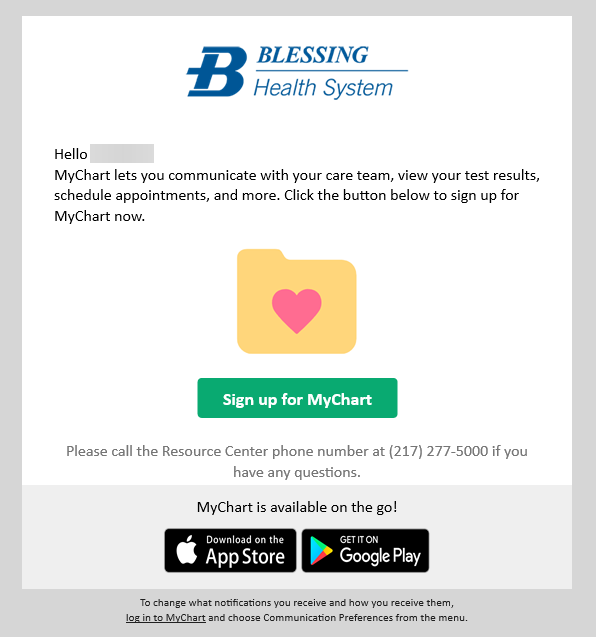
- If you have an Activation Code for MyChart printed on a bill or your After Visit Summary, click here to input that code and sign up for MyChart.
- If you were neither sent an activation link, nor have an activation code, you can still sign up by filling out your personal information on this page for MyChart signup.
Step 2: Create Your Username and Password & Confirm Your Identity
Once you have clicked the link, provided the activation code, and validated your information, you’ll be prompted to create your username and password.
Step 3: Accept Terms and Conditions
Read and accept the terms and conditions of use provided by your healthcare provider.
Step 4: Explore the MyChart Dashboard
After accepting the terms and conditions, your new MyChart account will appear. The main view of MyChart is your health feed, which shows the most important alerts and information for your care.
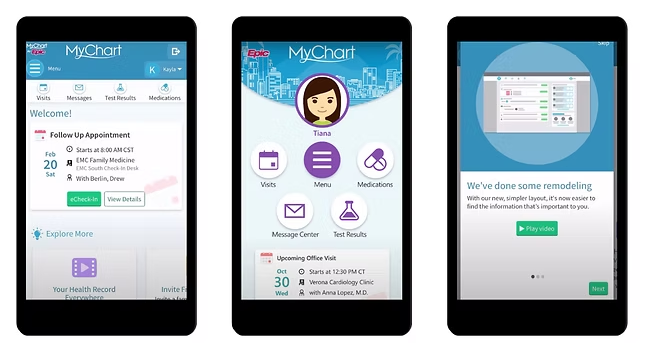
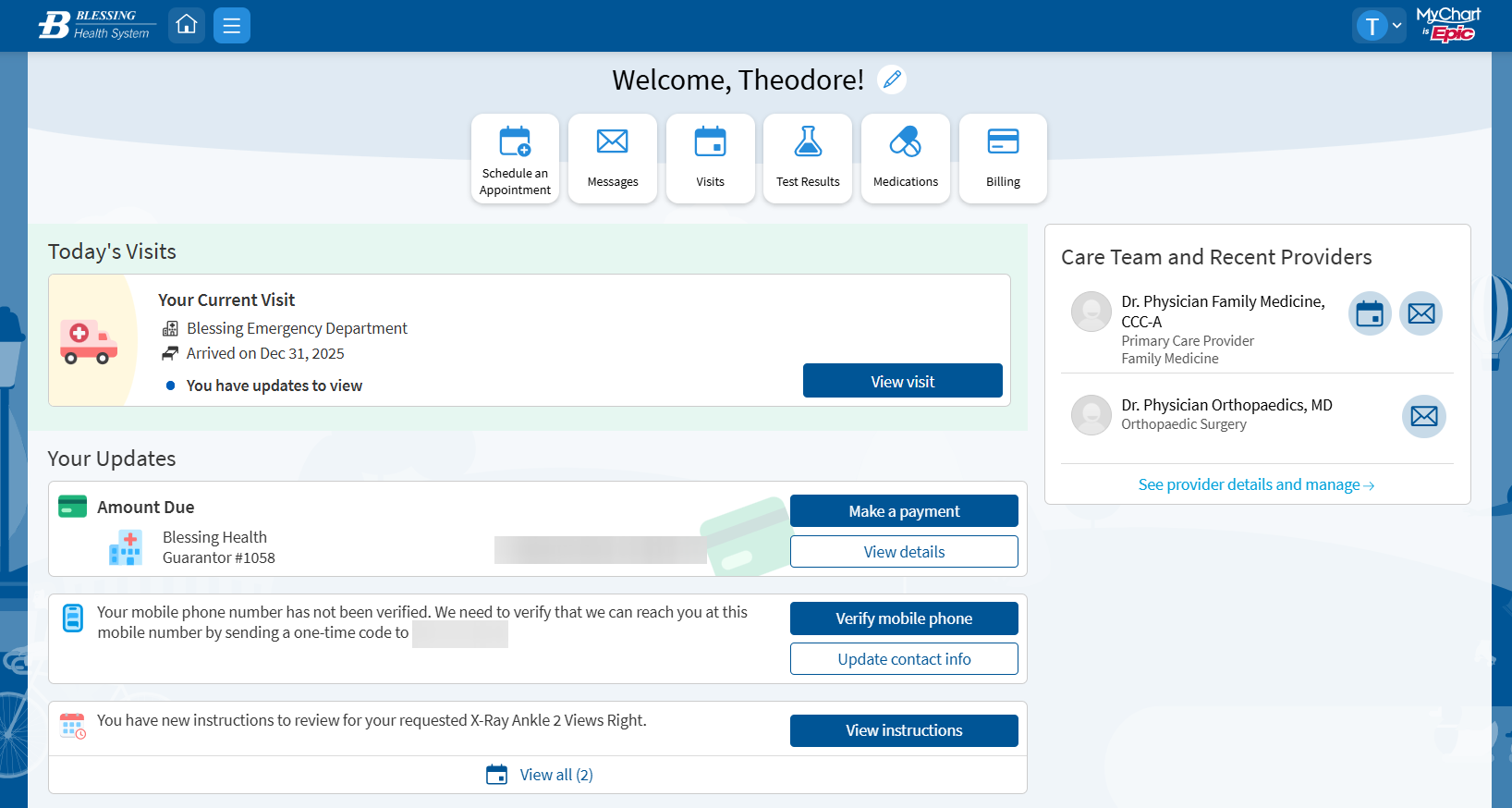
You’re now signed up for Blessing Health System MyChart.
Contact Us
For more detailed questions regarding MyChart, please contact us at 217-223-8400 ext. 6600. Or browse through our most frequently asked questions below.
MyChart FAQs - Enrollment Questions
There are several different methods of MyChart signup that might be used by different departments across your healthcare organization:
- Clinic staff might sign you up directly while you're at the front desk or in the exam room.
- You might receive a MyChart activation code on your After Visit Summary or on a billing statement.
- You might receive a text message or email with an activation code when you come in for a visit.
- You might be able to use self-signup online to create a MyChart account by matching your information against what is on file in your medical record or with third-party identity verification.
If you don't have an activation code, you can request one on the sign-up page. You can also contact us at medicalrecords@blessinghealth.org. After we verify your information, you will receive a new code.
MyChart FAQs - Your Medical Record
With MyChart, you can view most test results as soon as they become available. Know that you will likely see results before your healthcare provider has had a chance to review them. After your provider reviews your results, you might see additional comments and interpretation in MyChart.
You will generally receive a response within 1-3 business days. Note that MyChart messages should not be used for urgent situations. Please contact your medical center if the situation requires immediate attention or dial 911 if it is an emergency.
On the Personal Information page in MyChart, you can update your address, phone number, email address, preferred name, and other personal details at any time so that your clinic always has the most up-to-date information in your record.
To make a request to change your legal name, email medicalrecords@blessingheatlh.org, or call our MyChart Patient Support Line at 217-223-8400 ext. 6600.
Your MyChart information comes directly from your electronic medical record at your provider's office. Ask your provider to correct any inaccurate information at your next clinic visit. Your health information is reviewed and updated in your electronic medical record after each visit.
MyChart FAQs - MyChart For My Family
Yes, you can. MyChart proxy access allows you to access the medical records of your family members and others you care for, with their permission. You must be at least 18 years old to have proxy access to another person's medical record.
You might also want to grant a family member or friend access to your medical records when you need assistance managing your appointments and other medical needs. To give someone access to your medical record, grant access via a proxy invite through the Friends and Family Access page in MyChart.
No, due to the sensitive nature of medical information, each person must have their own MyChart account.
MyChart - Technical Questions
If you're having trouble logging in, click the "Forgot login information?" link below the login fields for assistance. You will go through two-step verification to verify your identity so you can recover your username or password. You can also contact our MyChart Patient Support Line at 217-223-8400 ext. 6600 to request assistance.
Try checking the spam or junk folders in your email. If the email with your code is not there, try clicking Resend Code. If you still didn't receive the email, it could be that your account has a different email address on file. If you have multiple email accounts, check one of the others to see if the verification code was sent there instead. If none of your accounts received the email, it could be that we don't have an email address on file. If this is the case, call our MyChart Patient Support Line at 217-223-8400 ext. 6600 for quick support.
We aim to protect your privacy and information. If you remain idle for 10 minutes or more after you log in to MyChart, you will be automatically logged out. We recommend that you log out of MyChart if you need to leave your computer for even a short period of time.
To have your account re-activated, send an email request to medicalrecords@blessinghealth.org, or call our MyChart Patient Support Line at 217-223-8400 ext. 6600.
If you've been seen at another healthcare organization, you might be able to view information from that medical record right in MyChart. You might have heard of this feature referred to as Happy Together. This includes information from other organizations, such as:
- Allergies
- Care team
- Health issues
- Medications
- Messages
- Test results
- Visits
To view this information, you must link your account. Check out our video tutorial on how to do this.
You can request that we deactivate your account by contacting the MyChart Patient Support Line at 217-223-8400 ext. 6600.
Email us at medicalrecords@blessinghealth.org, or call our MyChart Patient Support Line at 217-223-8400 ext. 6600.